Refund Processing Instructions for Event Directors
Important:
Clubs whose registration payment has not cleared will not appear
on the Refunds page for that event. All approved refunds will be returned to
the original form of payment.
Processing Refunds
1. Go to
the REFUNDS Tab
Located on
the Event Director’s page for your event.
2. Select
the Refund Method
Choose how
the refund will be calculated:
- Percentage of the registration fees, or
- Flat
cash value
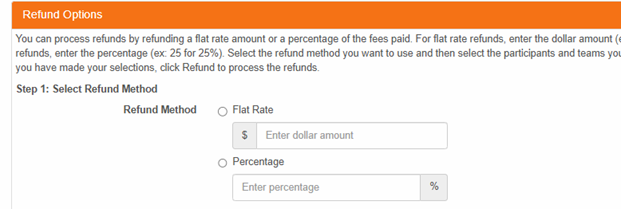
Note: All
refunds processed in the same session will use the same refund method.
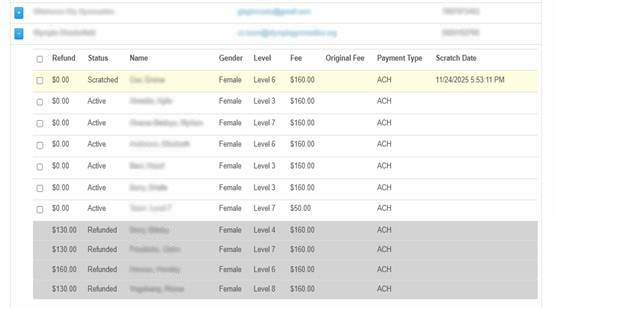
3. Select
Athletes to Refund
- Click the [+]
next to the club you want to refund.
- You may:
- Check the
box next to the club’s name to refund the entire club, or
- Select
individual athletes to refund specific participants.
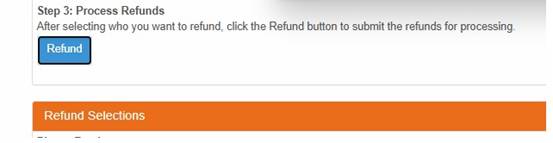
- Click PROCESS
REFUND to complete the refund. If anything is incorrect with the
refund parameters, the system will notify you.
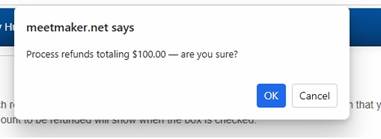
- A
confirmation prompt will appear. Review the refund amount shown, then
confirm the refund.
Both the event
director and the registering club will receive an emailed refund
receipt.
Additional
Notes:
- Athletes
who have been scratched in MeetMaker appear at the top of
their club’s list, along with the scratch date they scratched in MeetMaker,
highlighted in YELLOW.
- Once an
athlete has been refunded, they move to the bottom of the club’s
list and cannot be refunded again, these are GREYED out.
Where Refunds Appear in Financial Reports
FINANCIALS
Tab
- Refunds
show as (Refund Processing).
- Click the [+]
next to the refund line to view which clubs were included.
SUMMARY Tab
- Total
refunds for the event appear under the REFUNDS line in the
Financials section.
If the event
has funds available in escrow, the refund will be issued from the escrow
account. If no escrow funds are available, the refund will be drawn from the
event disbursement account and returned to the registering club using the
original form of payment. Please allow up to 10 business days for the refund to
be processed.
We use essential cookies for website functionality only. By using this site, you acknowledge our
Privacy Policy.